

Changing your business name: what needs updating online?
Plan the website, email, profile and material changes that help clients recognize and contact the renamed business.

A new business name needs a coordinated transition across the places people recognize, contact and pay you. The logo is one part. Your domain, email, service pages, profiles, proposals, booking links and everyday documents also help clients decide whether they have reached the right business.
Start by separating two decisions: changing the name people see and changing the addresses they use. You may be able to introduce a new trading name while retaining the current domain. If the domain or page URLs change as well, the transition becomes a technical migration with additional dependencies.
This is a practical communication and website plan. Decisions about legal names, trademarks, registrations and contractual notices need appropriate professional advice for the business and its jurisdiction.
Define what is changing before making a list
Write a short transition statement: the old public name, the new public name, the intended introduction date, and what stays the same. Include any change to the domain, email addresses, company structure, services or ownership. These are different changes, even when they happen near one another.
A client may need reassurance that their existing appointment, support contact or contract remains valid. If only the public brand is changing, explain that accurately. If other arrangements are changing, do not use a reassuring phrase such as “only our name has changed” unless it is true.
Decide who approves the transition statement. It will become the source for the website, email announcement, social profiles and staff explanations. Consistency begins with one agreed description of what the change means.
Map the places people encounter the name
Look beyond the navigation logo. Search your own public site for the old name, including downloadable files and image descriptions. Record the locations rather than editing them as you find them. Some references may need to remain as historical context; others should change at launch.
Group the inventory by function:
Function: Recognition; Places to check: Website identity, social profiles, directory listings; Decision to record: What changes together on launch day?
Function: Contact; Places to check: Email, forms, booking pages, phone messages; Decision to record: Will old routes still reach the team?
Function: Transactions; Places to check: Proposals, invoices, payment and contract systems; Decision to record: Who must approve name and billing changes?
Function: Evidence; Places to check: Testimonials, case studies, press and backlinks; Decision to record: What is editable, and what needs context?
The point is to identify the owner of each change. A designer may supply new identity files while your accountant, email administrator or software provider controls another system. A launch date is only useful when the dependencies have owners.

Original explanatory visual by Studio FLACH. Open the image to view it at full size.
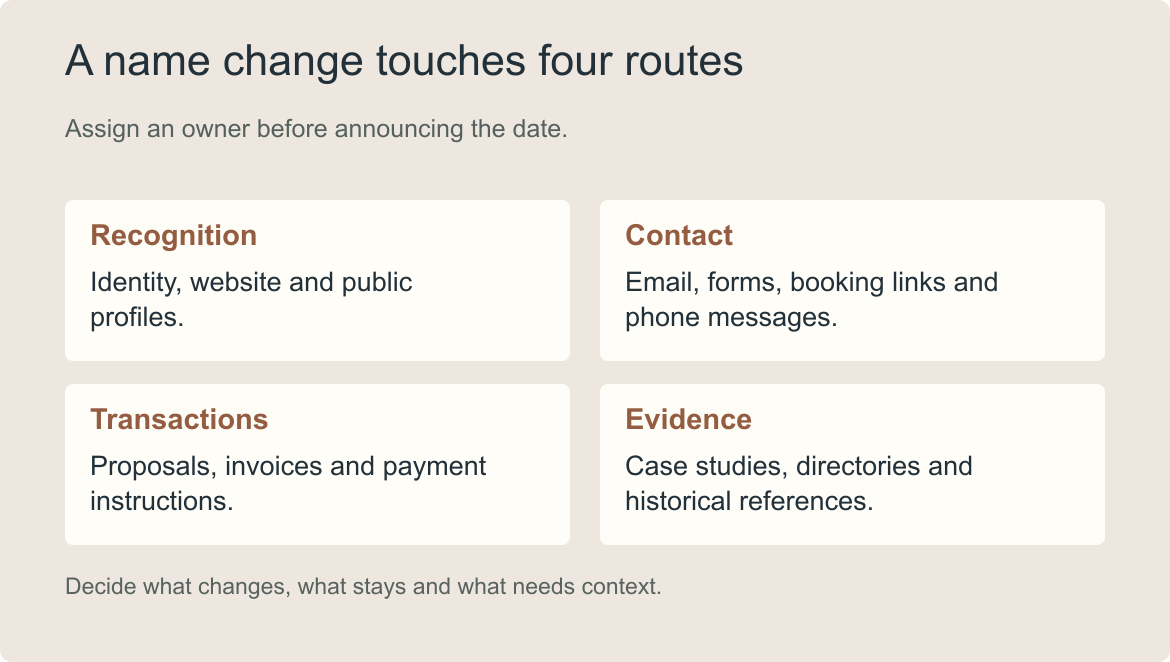
Assign a person and a verification step to each group before choosing the launch sequence.
Decide whether the domain needs to change
A new name does not automatically require a new domain, and a new domain does not require changing every page path. Discuss recognition, clarity, future relevance and the practical cost of moving before deciding.
If URLs change, your developer needs a page-by-page map from the old addresses to the appropriate new destinations. Sending every old article, service and case study to the new homepage discards the context people expected to find. Preserve useful routes where possible and redirect changed ones to relevant equivalents.
Google's site-move guidance recommends preparing the destination, mapping URLs, configuring redirects and monitoring both locations. It also advises separating major changes where practical and explains that rankings can fluctuate while pages are recrawled and reindexed. A new name is not a reason to promise that search visibility will transfer immediately.
For a small business, ask the studio to explain the migration in plain terms: which addresses stay, which move, who implements the redirects, what is tested and who checks the site after launch. You do not need to implement the redirects yourself to approve a clear plan.
Treat email as its own workstream
A new website domain does not automatically give your staff working email accounts. Confirm how new addresses will be created, whether old addresses will continue receiving messages, and who manages the change. Check the needs of shared inboxes, calendar invitations, form notifications and software accounts as well as individual mailboxes.
Test the communication route before announcing it. Send a controlled message to the new address and, where old-address continuity is intended, to the old address. Check receipt and replies. The person administering email should also verify the relevant sending configuration; changing a signature is not evidence that delivery is working.
Avoid changing the login email on every business tool in one untracked session. Some tools use the address for access, notifications or recovery in different ways. Record the authorized administrator and follow each provider's current procedure. Keep recovery access under the business's control.

AI-generated illustrative photograph.
Illustrative generated photograph. A coordinated transition depends on clear responsibilities, not just a new visual identity.
Help existing clients recognize the transition
Choose where a temporary explanation will help. A short notice on the homepage or About page, a direct email to active clients, and a consistent staff email signature may be enough for a modest name change. The appropriate period depends on how often people return and how long existing projects run.
A fictional example might read: “Northline Advisory is now Fieldwork Advisory. Our team and contact number remain the same. You can reach us at our new email address below.” That wording would be appropriate only if all of those details were accurate. A different business may need to explain a merger or a changed service scope instead.
Keep the explanation close to the route people use. If an old proposal points clients to a booking page, that page needs to make sense to someone who still knows the old name. Update active templates and instructions rather than relying on everyone to read a launch announcement.
Update profiles without creating a second identity by accident
For each directory, social account and relevant business profile, decide whether you are editing an existing business or creating a genuinely different one. Avoid assuming that a new profile is the correct response to every name change.
Google provides an official process for editing Business Profile information . It notes that some businesses may need verification before making changes. Follow current platform guidance for your circumstances, and do not promise a particular approval time or continued eligibility without checking.
For third-party coverage you cannot edit, consider whether the old reference needs any action. A historical article can remain historically correct. Where a significant partner or directory still sends people to an obsolete address, ask the responsible contact to update it. Maintain the relevant old routes while the transition is underway rather than expecting every external source to change at once.
Run a launch rehearsal
Choose a few real journeys and follow them end to end. Someone who clicks an older search result should reach the appropriate page. A person using an old saved email address should reach the team if continuity was promised. A client following a proposal's payment or booking instruction should still understand what to do.
Use a short test record with the route, expected outcome, result and person responsible for a fix. Include mobile navigation, contact forms, downloadable documents and analytics. A screenshot of the new homepage does not prove those journeys work.

Original explanatory visual by Studio FLACH. Open the image to view it at full size.
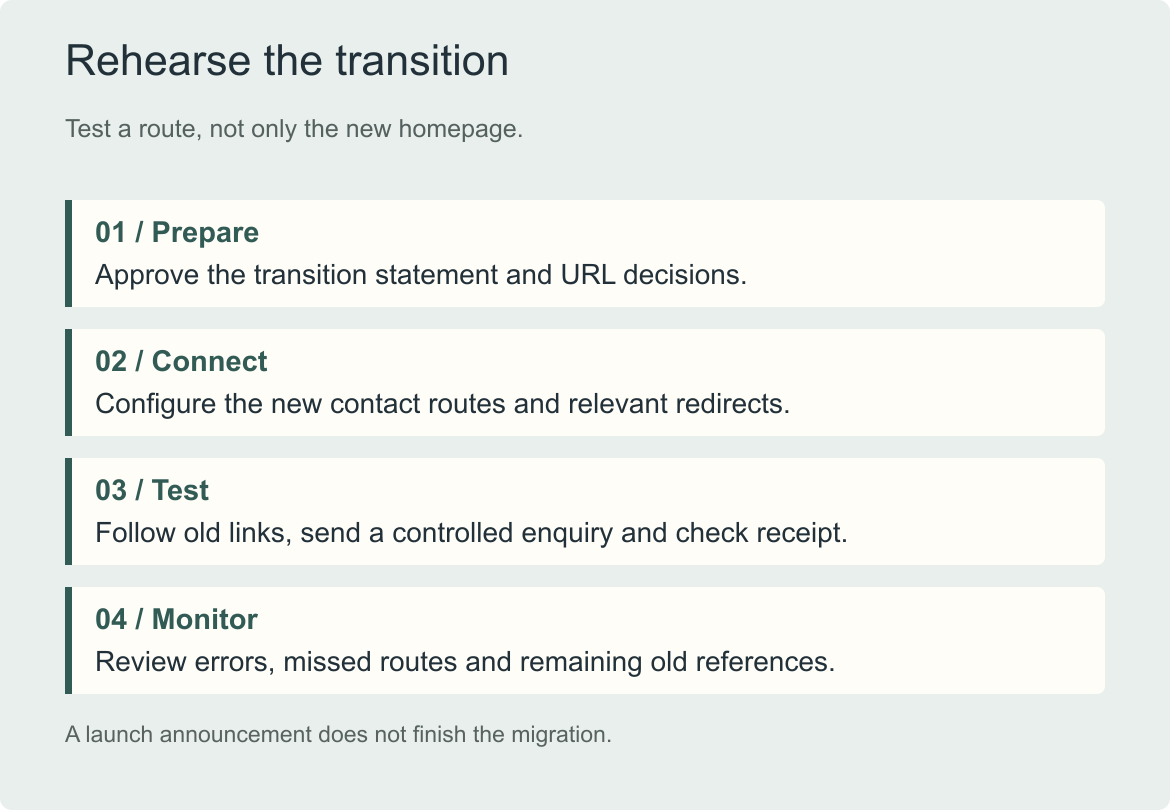
Verify the route someone actually uses, then record the result. The transition continues after announcement day.
Give the new name time to settle
After launch, review misdirected enquiries, old-name references and broken routes. Keep the old-domain registration and relevant access arrangements in the plan for as long as the migration requires. Your technical provider should explain the retention and redirect approach rather than leaving renewal decisions to chance.
The name change also gives you a reason to revisit what your materials say. Check that the offer, team description and proof are still accurate before copying the new name into old messaging. Our guide to brand refresh versus rebrand helps distinguish an update to execution from a wider change in business direction.
Signature Suite brings brand identity and website work into one project. If you are considering a name change, bring the current domains, active materials and transition constraints into the first conversation. That makes it possible to plan the identity and the routes people rely on as connected pieces of work.